
On this page
Extra work starts with a word in the field and gets billed weeks later. In a 2026 survey Dodge Construction Network ran for Clearstory, one of the tools below, a signed time-and-materials (T&M) ticket, the field's daily record of the work, took 22 days on average to become a priced change order request, and 53% of general contractors named thin backup as a reason to pay one short.
When an owner's representative asks for that backup, a project manager rebuilds it from logs, timesheets, tickets and email. The seven entries below are what a contractor your size weighs, six apps and our own agents, ordered by which records each builds that backup from. Entry one is Qvery's work and our pick: it reads across the records you keep outside any one app.
Custom AI agents by Qvery
Backup Built From the Records You Already Keep
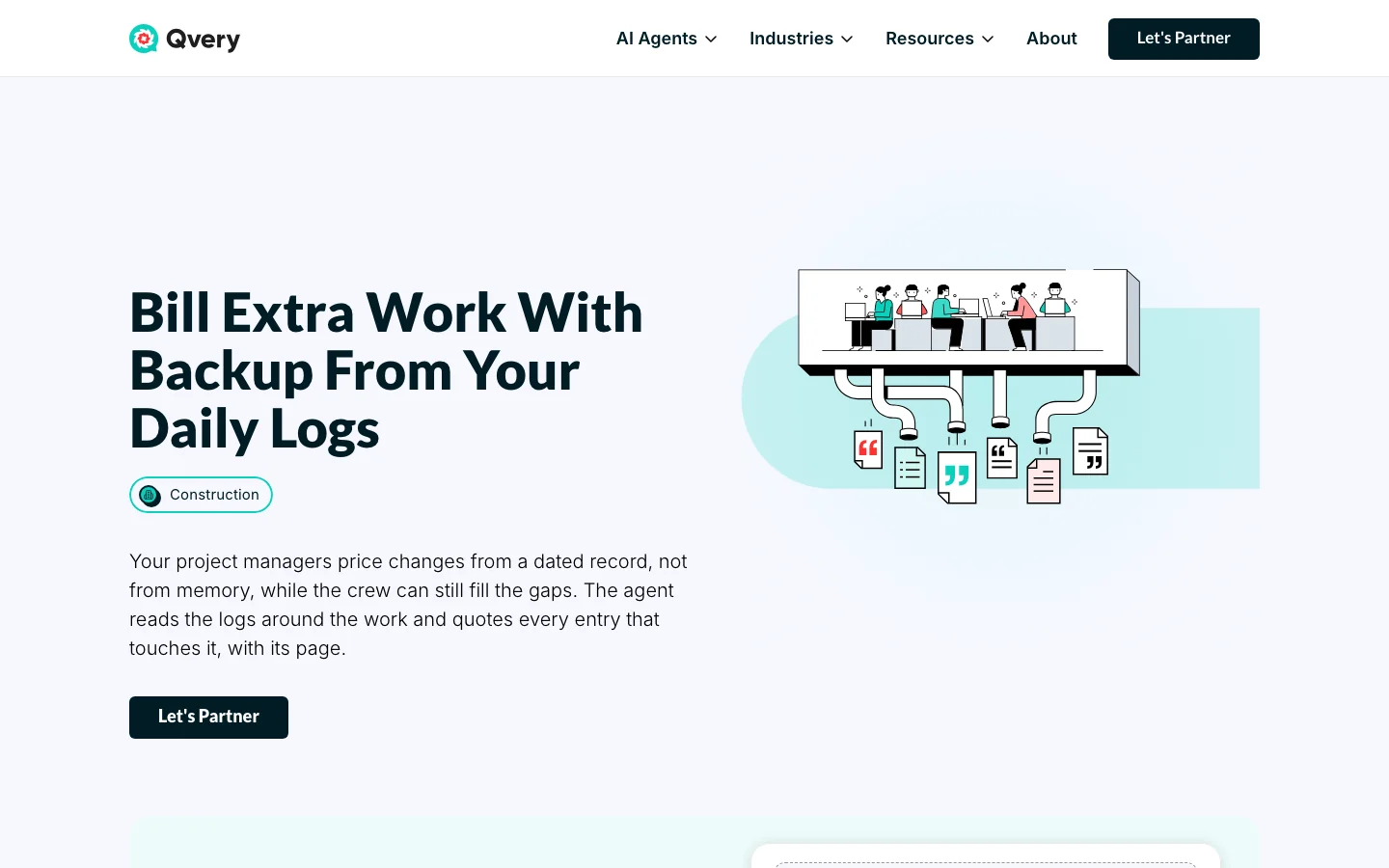
Keep whichever platform you run; our agents work beside it. When a potential change comes up, they read the days around it in the records you already keep: superintendents' logs and handwritten sheets, timesheets, machine hours, haul and T&M tickets, owner emails, field directions and the contract's changes article.
They put every entry in date order: who asked for the work, who did it, the hours, the machines and the loads, each line with the page it came from.
Where a log and a timesheet disagree, or a machine shows engine hours on a day the log lists none, both figures are kept and the gap is named, with the record that would close it.
They count the days from the event to the first written notice the way your clause counts them, and show the arithmetic. They never price the change, contact the owner, call a notice late or on time, or guess at a handwritten figure: a number too faint to read is marked unknown. Your project manager decides what goes in.
- Reads daily logs, handwritten sheets, timesheets, machine hours, tickets and emails for the days of a change
- Builds a dated timeline of who asked, who worked and what ran, each line with its page
- Flags where logs, timesheets, tickets and machine hours disagree, and names the missing record
- Counts notice days by your contract's clause, with the arithmetic shown
- Sets a subcontractor's change request against your own logs, line by line
Pros
- Reads records wherever they already sit
- Every line traceable to its page
- Works beside Procore, Autodesk or paper logs
Cons
- Builds backup after the fact and captures nothing in the field
- Runs after a short build, not on day one
- Wants access to your logs, payroll and machine exports
Clearstory
One Change Order Log for Every Side
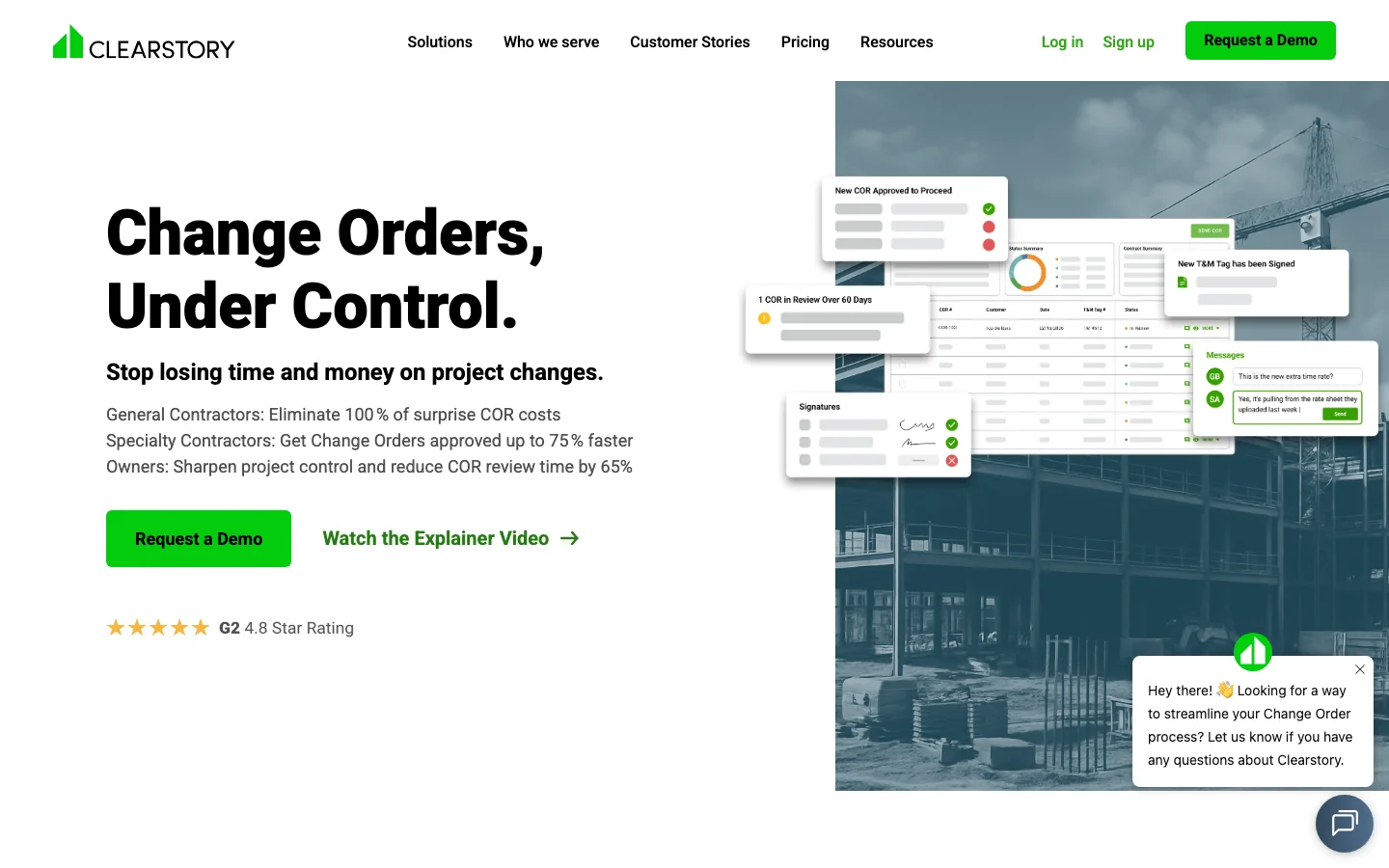
Clearstory is built around change orders between a general contractor, its trades and the owner. Foremen submit T&M tags from a phone with photos and signatures, the trade turns signed tags into priced change order requests (CORs) at its own labor, material and equipment rates, and everyone works from the same live log. Clearstory says more than 14,000 contractors use it.
It is the strongest pick here when the trouble sits between companies: tags that reach the office late, requests the general contractor cannot trace, an owner who hears about a change late. Its free tier covers a light job.
The backup it holds is what reaches Clearstory: tags, photos, estimates and the documents someone uploads. The superintendent's daily log, the payroll hours and the machine hours stay in their own systems, and a project manager matches them when an owner asks.
- Digital T&M tags with photos and e-signatures
- Signed tags priced into CORs at your own rates
- Shared COR and T&M logs across the general contractor, trades and owner
- Bulk import of an existing COR log from a PDF or spreadsheet
What Reddit says
Too few independent voices to score
Used it on a smaller job and now taking it to a mega project. Very affordable and easy for a foreman to use on his phone to submit tags to the office team.
Just swapped over to clearstory from peer assist both are so much easier than paper tickets
A few teams have tried out clearstory for pricing in general, including t&m. It’s more geared toward organization and making everything tractable easily.
Pros
- Built around change orders
- A free tier for a light job
- General contractor, trades and owner on one log
Cons
- Backup is what someone brings into it
- Paid tiers priced on request
- Its four change order agents are in beta
Procore
The Platform Your General Contractors Already Use
Procore is where a lot of commercial work already runs, so your project managers may know it from the general contractor's side. Daily logs, change orders and the budget live in one system.
Its T&M Tickets tool, part of Field Productivity, records labor, equipment and material in the field, collects signatures, reuses time entries already made so hours are typed once, and turns a ticket into a change event priced at your contract rates.
On a job where the logs, the time and the tickets all sit in Procore, most of what an owner asks for is already there. It asks for money and upkeep in return: the price follows your construction volume, and the backup is only as complete as the records someone keeps current in it.
- T&M tickets with signatures that become change events at contract rates
- Time entered once and reused on tickets
- Daily logs with crew, equipment and weather recorded
- Pending and approved changes synced to the budget
What Reddit says
50.0 / 100
181 independent mentions in 40 threads, 2017 to 2026
As a sub, Procore is nice because it's one interface for every GC and all of their projects (so 50-75 active projects)
Procore really is amazingly useful though. But you need someone or multiple people (often PEs or PMs on the finance side) that are maintaining it.
We did try Procore but like everyone else - it just felt too big for a smaller sub company.
2% feels like a lot! Sometimes I wonder if Procore is worth that price
Pros
- Logs, tickets, changes and budget in one system
- Unlimited users, so foremen and subs log in at no extra cost
- Twenty prebuilt AI agents
Cons
- Priced on construction volume, with no list price
- Backup covers only what is kept in Procore
- Needs someone keeping the records complete
Rhumbix
The Crew's Timecard Fills the Ticket

Rhumbix starts from the crew's timecard. Foremen enter hours by cost code on a phone, and the same entry fills the daily report and the T&M tag, so the hours on a ticket match the hours sent to payroll. Tags carry photos, pricing and approvals into a change order request.
It suits a self-performing trade contractor, electrical, mechanical or heavy civil, whose money leaks out as crew time that never reaches a ticket. Autodesk bought Rhumbix in March 2026 and now sells its T&M tool in the same bundle as Forma Build, entry six.
Its backup is as complete as what crews enter in it: an owner's email, a machine's engine hours from a telematics feed and work nobody logged sit outside it.
- Crew timecards by cost code, with kiosk clock-in
- Daily reports and T&M tags generated from the same timecard
- T&M tags with photos, pricing and approvals
- No-code dashboards for labor and production
Reddit barely discusses Rhumbix: one passing mention in the construction threads behind this list. On Capterra, its 146 reviews average 4.1, and Capterra's own summary of them sets an intuitive interface against frequent glitches.
Pros
- Ticket hours match payroll hours
- Built for self-performing trades
- Now part of Autodesk
Cons
- Prices only on request
- Backup limited to what crews enter in it
- Little independent discussion to go on
Raken
Daily Reports the Superintendent Will Finish
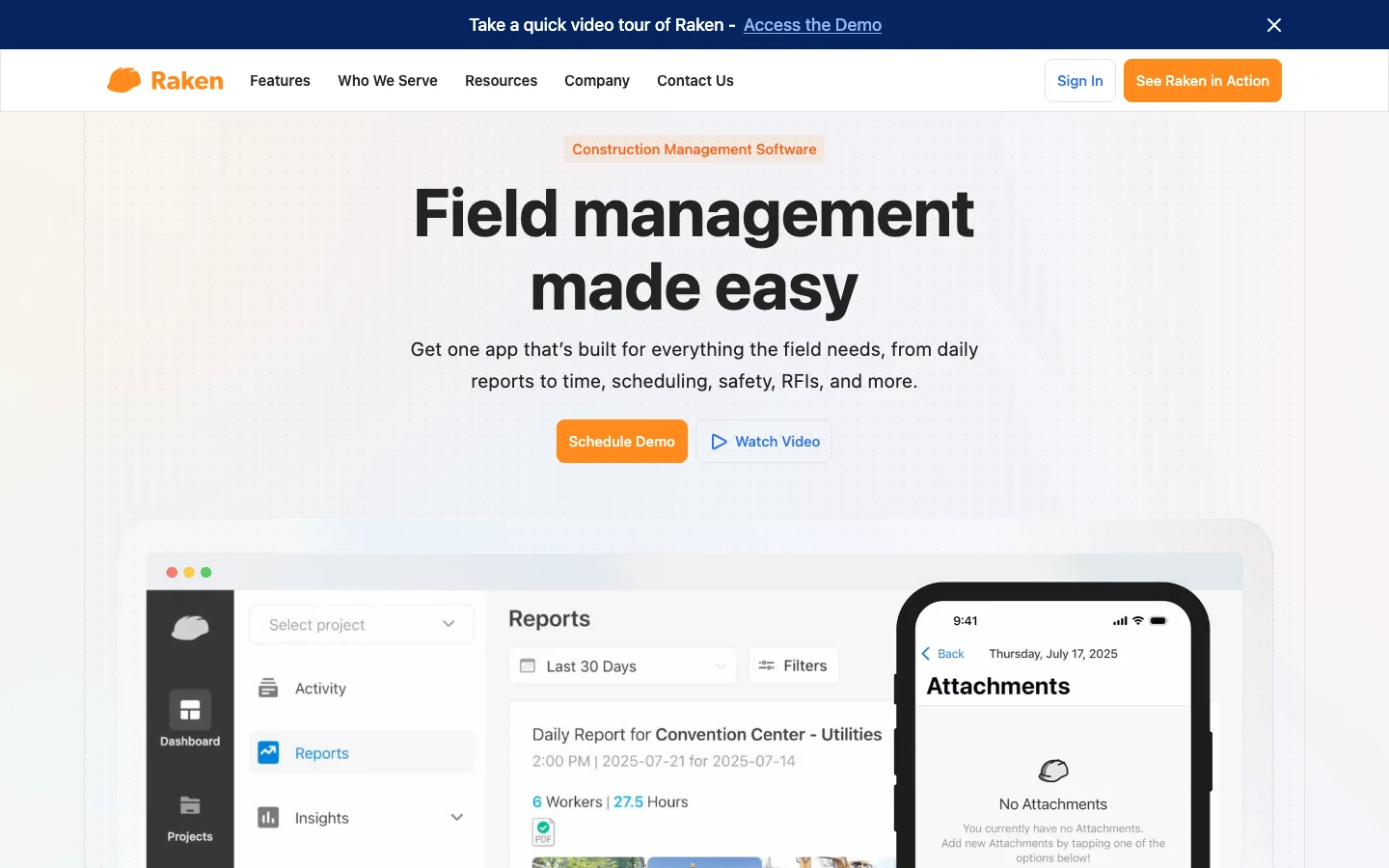
Raken is built for the end of the superintendent's day: daily reports with photos, crew time, production, equipment and materials, filled in on a phone.
Change orders arrived on October 8, 2026, beside its tools for requests for information and submittals (the product data a sub sends for approval before it buys). A request carries cost lines, attached forms and plan markups, and a general contractor or owner can approve and sign it from an email link without a Raken account.
The daily report and the change order now live in one app, though in Raken's own guide the request's cost lines are entered by hand rather than drawn from the reports. Raken has also opened its records to outside AI: a connector (an MCP server) lets assistants such as Claude, ChatGPT or Copilot read your Raken data, and Raken offers it for building custom agents on that data.
- Daily reports with photos, crew time, production and equipment
- Change order requests with cost items, attachments and signatures
- Crew time tracking, on the Performance plan
- A connector for Claude, ChatGPT and Copilot
What Reddit says
50.0 / 100
12 independent mentions in 9 threads, 2018 to 2026
Raken, actively using, to create weekly report to our clients. They're so happy to receive the updates.
I like both but found them lacking Project Management features that are available in other solutions. They both excel in field management but only that.
There is no easy way to share and markup documents, even the photos I upload can not be shared.
Pros
- Built around the field's daily report
- Published per-user prices
- Data open to outside AI tools
Cons
- Change orders only weeks old in the product
- Cost lines entered by hand, by its guide
- Per-user pricing adds up across crews
Autodesk Forma Build
The Platform With a Price on Its Page

Autodesk's construction platform has changed names more than once: Autodesk Build, part of Autodesk Construction Cloud, is now Forma Build within Autodesk Forma. Daily reports with required fields, photos and signatures sit in it.
Its change management ties potential change orders to cost items, budget items and contracts, syncs approved changes to the budget and payment applications, turns a request for information into a potential change order, generates documents from templates and sends quote requests to suppliers.
Unlike Procore, it publishes a list price, charged per user. Rhumbix's T&M tool now comes in the same Autodesk bundle, and Autodesk pitches pairing Rhumbix field data with Forma Build. As with Procore, its backup reaches as far as the records kept in it.
- Potential change orders tied to budget items and contracts, approved ones synced to payment applications
- Requests for information turned into potential change orders
- Change order documents generated from templates
- Daily reports with required fields, photos and signatures
What Reddit says
47.8 / 100
69 independent mentions in 19 threads, 2017 to 2026, under its earlier names too
ACC is very focused on workflows which throws some people off whereas procore isn't. ACC is also very customisable, has a better UI, and costs less.
ACC is so clunky! I hate it. So many places to change permissions, etc.
Autodesk is fine, it does what I need it to do but I would have selected Procore 100% if it was in the budget.
Pros
- A published per-user price
- Approved changes flow to the budget and payment applications
- Rhumbix T&M sold in the same bundle
Cons
- Per-user cost climbs with every foreman
- No cost management in Essentials
- Backup covers only what is kept in it
eSUB
The Trade Contractor's Own Office

eSUB is project management for commercial trade subcontractors rather than general contractors. T&M tickets carry labor, material, equipment, photos and signatures, each referencing its change order, and change order requests are quoted as a lump sum or by category with line items.
Daily reports, requests for information and submittals sit beside them, and Fusion, launched in 2024, is its newer field app on a rebuilt back end.
It fits an electrical, mechanical or specialty contractor that wants one system of its own instead of living in each general contractor's platform. Its backup is what the crew enters in eSUB, and nothing on its site mentions AI.
- T&M tickets that reference their change orders
- Change order quotes, as a lump sum or by category
- Daily reports from the field
- Built for trades, not general contractors
What Reddit says
Too few independent voices to score
I don't really like it and overall wouldn't recommend it. It's web based and the interface is cumbersome.
look into eSub or Fieldwire for field tracking since they specialize in subcontractors and handle plans/dailies well.
Pros
- Built for trade subcontractors
- T&M tickets tied to change orders
- A system of your own, not the general contractor's
Cons
- No published price
- No AI features listed
- Backup limited to what crews enter in it
Where Each One Gets Its Backup
| Route | Backup is built from | Start with it if |
|---|---|---|
| Spreadsheet and PDF log | Whatever the project manager copies in | You see a few changes a year and one person tracks them |
| Custom AI agents by Qvery | Your logs, scans, timesheets, machine hours, tickets and emails | Backup gets rebuilt by hand from several systems |
| Clearstory | Tags and requests entered in Clearstory | Your trades and general contractors will share one log |
| Procore | Tickets, logs and time kept in Procore | Your jobs already run on Procore end to end |
| Rhumbix | Timecards, tags and forms entered in it | Crew hours are where your money leaks |
| Raken | Cost lines and attachments entered in Raken | Your superintendents need a report they will finish |
| Forma Build | Cost items, logs and forms kept in it | You want a platform with a per-user list price |
| eSUB | Tickets and logs kept in eSUB | You are a trade sub that wants its own system |
A new app helps backup only if the field uses it. If your foremen still write tickets on carbon copies and your superintendents keep paper logs, choose for adoption first: the app your crews will fill in on a Tuesday afternoon beats the one with more features.
Small extras are better settled in the contract than in software. For work too minor to paper one change at a time, a rate agreed in the contract ahead of time is the fix, and that rate is a term you agree with the owner or general contractor, not a software setting.
What Backup Costs When a Project Manager Builds It
Picture a typical company, not a client: a contractor of about 200 people where six project managers, project engineers and superintendents give a tenth of their week to assembling backup. At $164,400 a year each with benefits and taxes, the figure our calculator uses for a construction manager, that is about $98,640 a year of their time.
The hours are the smaller part of it. In the same Dodge survey, 77% of trade contractors said they had had to write off change order work as bad debt: work that was done, billed and never recovered.
Our agents take about 40% of that assembly work in the calculator's estimate and run for about $450 a month, which hands back about $34,056 a year of their time, or 499 hours. That is capacity, and it turns into cash when it replaces overtime, a hire or outside help.
Set against the build, every $10,000 of its price is matched by about three and a half months of that time, before counting a single change that gets paid because its backup held up.
 Vlad ShvetsPartner @ Qvery
A better change order app is worth buying when your crews will use it. What it cannot change is where the evidence sits: the superintendent's log, the payroll hours, the machine hours and the owner's email live in four places, and an owner's question needs all four read side by side. That reading is the work I would hand to agents first, and the call on what to bill stays with your project manager.
Reading Every Record Behind One Change
Every tool above captures well what is entered in it. What none of them does, by its own pages, is read the records a company already keeps in several places for the days of one change, and set them against each other.
On the sample on our agent page, five days of a Boise civil contractor's records, the agents find a daily report listing 48 labor-hours for a crew whose entries add up to 40, and ask for the timesheets. The excavator's hours are missing for two of its three days on site.
The signed direction covers removing the slab but not hauling it away, so hauling stays a gap until a record covers it. Base-contract hours from the same days stay out of the tally.
Daily logs name your crews and their hours, so who may open them, where they are processed and for how long is fixed in writing before we build anything. Your logs never train any AI model, and the data processing terms are part of what you sign.
If you have a change whose backup you built by hand, send its daily reports through the agent and set its timeline beside yours.
In the first week we connect to wherever your logs live and settle the rates, the notice clause and the forms your owners expect. In the second, the agents rebuild a change you already submitted, and your project manager checks it against the one they sent.
 Piotr BabelPartner @ Qvery
Our agents are only as good as what they check against. So before they read a live change, we learn how your superintendents write their logs, which codes your timesheets use and where the machine hours come from. A figure they cannot read is marked unknown and left for your team to fill from the original, and a day the logs never mention is shown as silent, not guessed at.
After that, each potential change you flag gets its backup started the day it is logged, and your project manager's time goes into checking the timeline rather than building it.
Your superintendents keep writing their reports exactly as they do now, on paper or in an app, and a photo of a handwritten page counts the same as a typed entry.
Frequently asked questions
What is change order management software?
Software that carries a change to a construction contract from the field to the signed change order: the T&M ticket or field direction, the priced change order request, the approvals and the log of what is still pending. Procore and Forma Build carry it as one part of a platform; Clearstory is built for it alone.
What backup does a change order need?
Your contract decides, but owners usually ask for the dated record behind the price: who directed the work and when, crew hours by day, equipment hours, materials and haul tickets, signed T&M tickets, and dated photos. AIA's standard change order form describes the change and can reference supporting documents as exhibits.
What is the difference between a T&M ticket and a change order?
A T&M ticket is the daily field record of labor, equipment and material on extra work, or on work billed by time and materials, signed on site. A change order is the signed agreement that changes the contract sum or time; on AIA's G701 form, the owner, architect and contractor all sign it. Tickets are part of the backup for a change order.
What is a construction change directive?
It is AIA's G714 form, used when owner and contractor have not agreed on the price or time of a change. The contractor must go ahead with the work, and amounts not in dispute can go into payment applications while the rest is settled. Either way, the work goes on before its price is agreed.
Should we start extra work before the change order is signed?
Your contract's changes article decides. In practice almost everyone does it sometimes: in Dodge's 2026 survey for Clearstory, 97% of trade contractors said they sometimes begin work before approval. When you do, the daily record of that work is what its backup will be built from.
How much does change order software cost?
It runs from free to a share of your construction volume. Clearstory's Basic tier is free for five tags and five requests a month, Raken runs $23 to $59 a user a month, and Forma Build lists $175 a user a month. Procore prices by annual construction volume, and Rhumbix, eSUB and Clearstory's paid tiers are quoted.
Can a spreadsheet handle our change orders?
For a handful a year tracked by one person, often yes. AIA's data puts the average at 3.73 change orders on a $1 million to $5 million project and 7.93 on a $10 million to $50 million one. A spreadsheet strains when several jobs run at once and the backup has to be rebuilt from other systems.
How long does a change order take from the field to a signature?
In Dodge's 2026 survey for Clearstory, trade contractors averaged 22 days from a signed T&M ticket to a priced request at the general contractor, then 26 more to a signed change order. From the day of the work to approval, nearly two months can pass before payment terms even start.
Do Qvery's agents replace Procore or Clearstory?
No. They read from the systems you keep, whether Procore, Autodesk, a phone app or scans on a shared drive, and hand your project manager the backup as a PDF with a spreadsheet of hours and equipment. Where your system allows it, the file attaches to the change event itself.
Do the agents price the change or send it to the owner?
They do neither. They show the money your records support that a draft leaves out, at your contract's rates, for your project manager to check. Setting the price, the markup and what goes to the owner stays with your team, and the agents never contact the owner.
How do the agents handle handwritten daily logs?
Every handwritten page is read as an image. A word, date or figure they cannot make out is marked unknown, never guessed, and the entry keeps its page so your project manager can check the original in seconds.
Can the agents check a subcontractor's change request?
Yes. They set the sub's claimed hours and equipment beside your daily reports for the same days and show where your logs agree, disagree or say nothing, including hours that appear on your own T&M ticket and again in the sub's request.
What do we hand Qvery to get started?
Read access to your daily logs and scans, timesheet and machine-hour exports for the job, a folder for owner emails and signed directions, and your contract's changes article, notice clause and rate sheet. From your team, about three hours of a project manager's time in the first week, then about half an hour a change.
