Find The Products You List Twice
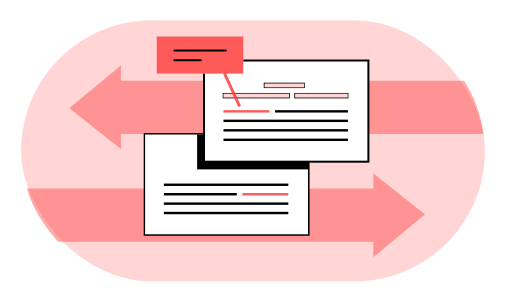
SKU Matching Agent groups the products in your catalog that look like the same item under different codes. Each group shows the evidence and the code your rule says to keep.
Find The Duplicates In Your Catalog.
- Products listed under more than one code, grouped
- What matches and what differs in each group
- The code to keep, when you include your rule
 Piotr Babel, Partner @ Qvery
Two codes can look alike and still be two real products: a different pack size, a different color. That's why our agents group and explain instead of merging. At Qvery, we help retailers and distributors spend less time on catalog cleanup, with custom AI agents that find duplicate products. Your catalog team decides from the records side by side. Nothing in your catalog changes unless your team changes it.
SKU Matching Agent.
Likely duplicates, grouped for your review.
Your Catalog And Your Suppliers' Files
The agent reads your catalog export and the product files your suppliers send, whatever their columns are called. Names, descriptions, sizes, barcodes and supplier codes all count as evidence.
In your build, every new supplier file is checked as it arrives. The free try works on one catalog export.

One Format, Then A Careful Comparison
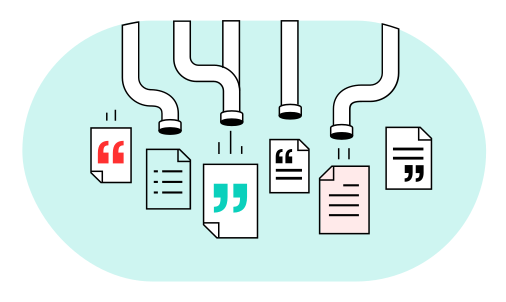
Before comparing, the agent writes colors, sizes and units the same way. "Blk 500ml" and "black, 0.5 L" both become black, 500 milliliters.
The fields that identify a product, like a barcode or a size, must agree before rows join a group. A similar name alone never puts two products together.
What Matches, What Differs, Which Code
Each group shows the fields that match and the fields that differ, side by side. It suggests the code to keep under your own rule, such as the oldest active code.
Rows with too little information are listed on their own. They are never forced into a group.

Your Catalog Team Decides
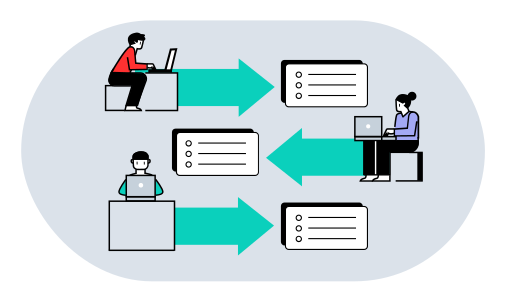
Your catalog team looks at each group and decides which records are the same product. The evidence sits side by side, so each decision is quick.
Merging or retiring a code happens in your own systems, by your team. The agent only suggests the groups and the code to keep.
What Duplicate Products Cost Your Team.
Put in your own team's numbers. The result updates as you type.
Your Numbers
- Saved a year
- $30,840
- Today
- $59,400
- With the agent
- $28,560
- Pays back in
- 9.7 months
- Three-year return
- 270%
- Deploys for about
- $25,000
Saved a year $30,840
Read The FAQs.
What does Qvery do for distributors?
At Qvery, we help distributors spend less time fixing catalog data, with custom AI agents that find duplicate products and check invoices. We build them on your own data. The same product can sit in your catalog under two or three codes, so stock and prices drift apart. The agent reads your catalog export and your suppliers' files, whatever their columns are called. It groups the products that look like the same item and shows what matches and what differs. Your catalog team decides on each group, from the records next to each other.
How does it match varied descriptions?
It compares every field it has, not only the name: barcodes, supplier codes, sizes, colors and units. Names and descriptions count as evidence too. It writes them the same way first, so "Blk 500ml" and "black, 0.5 L" match. Say two suppliers list a mug that way, with the same barcode. They land in one group, with the barcode as the evidence. Each supplier's file can name its columns differently, and the agent reads them whatever they are called.
How does it avoid grouping lookalikes?
A group needs agreement on the fields that identify a product, like a barcode or a size. A similar name alone never puts two products together. Two codes can look alike and still be two real products, with a different pack size or color. Say a tea towel comes in twos and in fours under similar names. The counts differ, so they stay apart. Where the evidence is thin, the rows are labelled and left out of the group for a person to look at. They are never forced into a group.
Does it work on a large catalog?
Yes. We build the agent to run on your whole catalog and every supplier file. In your build, every new supplier file is checked as it arrives. Barcodes, sizes and codes are compared across every file. The free try reads one catalog export. A catalog move no longer stalls while someone compares rows by hand, because the groups are ready before it starts.
Does it merge or delete products?
No. It groups likely duplicates and suggests the code to keep under your rule. Your catalog team decides which records are the same product and makes every change. Merging or retiring a code happens in your own systems, by your team. Nothing in the catalog changes unless they change it. Retiring a code is a decision about stock and prices, so it stays with the people who own them. That is why the agent groups and explains instead of merging.
Which code does it suggest keeping?
Whichever your own rule says: the oldest code, the one with sales history, the one in your main system. We set the rule with your team when we build the agent. Under the rule, each group names the one to keep, for example the oldest active one. Say the same pan sits under three codes. The rule keeps the one with sales history, and the other two are listed as its duplicates. Your catalog team can still choose differently, since the agent only suggests. The rule is yours, not ours.
How much does it cost to build?
An agent for this job costs about $25,000 to build and $400 a month to run. The calculator above shows what that means against your team's catalog work. Put in your own team's numbers and the result updates as you type. Comparing rows by hand means opening two or three listings of the same product and checking them against each other. The agent does that comparison for the whole catalog. Your team's time goes to deciding on groups, not hunting for them.
How is our product data kept safe?
The agent reads only the exports and feeds you connect it to and changes nothing in your systems. You decide where it runs and how long anything is kept. It reads your catalog export and the product files your suppliers send. A feed you do not connect is not read. The agent reads the product records themselves: names, descriptions, sizes, barcodes and supplier codes.
How soon can it run on our catalog?
We deliver a working agent in about two weeks, tuned on your own catalog. Your team reviews its groups before it runs on every new supplier file. Each group shows what matches and what differs, and it suggests the code to keep under your rule. Reviewing the groups first tests the rule and the layout on your own rows before a new supplier file arrives. The suggested code in each group follows your rule from day one.
What does the free try send back?
The likely duplicates in your export, grouped, with what matches, what differs and the suggested code. The code comes from your rule, when you include one. You send your catalog export, and your rule for which code to keep if you have one. The sample on the page is a homewares distributor's catalog, merged with an acquired store's product list. It comes from vlad@qvery.ai within 15 minutes. Rows with too little information are listed on their own. We delete your file as soon as your result is sent.